Unleashing the Hidden Potential of Odoo Access Rules
As some of you have already noticed, Odoo has many powerful but not well-documented features. Knowing these features can be a huge benefit, especially when facing challenging tasks.
Let's try to solve the following sample case together and see how we can fully utilize the power of Odoo.
Assume we need to create the following restriction for our users: users can see only those partners who have confirmed sales orders
The first option that comes to mind is to create a computed stored field in the res.partner model and check it:
has_orders = fields.Boolean(compute="_compute_has_orders", store=True)

@api.depends("sale_order_ids", "sale_order_ids.state")
def _compute_has_orders(self):
  for partner in self:
    # We are using 'filtered' in order to benefit from ORM caching.
    # However one can use "search" instead.
    # Rule of a thumb: use profiler to see which option is better.
    partner.has_orders = bool(partner.sale_order_ids.filtered(lambda s: s.state in ["sale", "done"])
However, what if we don't want to have any extra fields at all? For example, we don't want anyone to know that this partner has confirmed orders. In such a case you can use Python code directly inside the access rule:
        Partners with confirmed orders only


            [('id', 'in', user.env["sale.order"].search([("state", "in", ["sale", "done"]).mapped("partner_id").ids)]
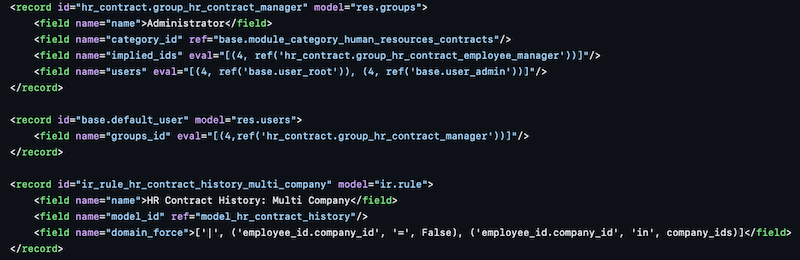
As you can see we have accessed 'sale.order' model directly from the rule using environment. This means that you can use virtually any method this way. For example this is how it's used in Odoo 16 source code:
Disclaimer
This is just a random example. Do not consider it the best possible solution. You need to know the tools and use them wisely. Check all possible solutions before you start writing any code.
Please keep in mind that Odoo caches access rule check results. In some cases, you might need to reset that cache manually. Check here(opens in new tab) for more details: https://www.linkedin.com/pulse/important-notice-regarding-odoo-record-access-rules-cetmix(opens in new tab)